

ORG 24: Your Music
Sofeh Sunrise
I spent time with ORG 24 as a compact music-making app rather than treating it like a full replacement for a desktop studio. Its appeal is immediate: you open it, see a virtual keyboard, and can start playing without setting up an instrument or learning a complicated production environment first. Developed by Sofeh Sunrise, it sits in the Music & Audio category and is free to install, with optional purchases ranging from $1.99 to $19.99 per item.
That simple starting point is important because this is an app you can use in short bursts. I found it most enjoyable when I wanted to sketch a melody, experiment with a rhythm, or pass a few minutes making sound on a phone. It is less convincing when I expect the detailed editing, comfortable mixing, and physical control of a dedicated keyboard or computer-based workstation. My overall view is positive, but it depends heavily on what you want from a mobile instrument.
What the mobile studio experience feels like
The first impression is closer to opening a digital keyboard than entering a traditional song editor. The “ORG” identity points toward an organ-style playing experience, while the broader piano and beat focus gives the app more range than a simple piano simulator. I could approach it as a casual player, a beginner learning where notes sit, or someone looking for a quick musical idea before forgetting it.
The biggest strength is immediacy. A phone is usually nearby, so the app removes the effort involved in finding a real keyboard, connecting equipment, or opening a larger workstation. That makes it useful for testing a chord progression while commuting, trying a bass line away from home, or showing a musical idea to a friend. The trade-off is that a touchscreen does not provide the same tactile feedback as physical keys, and that difference becomes obvious when a passage requires accuracy or expressive control.
I also noticed that the experience changes depending on the size of the device. On a larger phone or tablet, the virtual keys are easier to hit and the layout feels less cramped. On a smaller screen, quick playing can become a matter of watching your fingers closely rather than feeling your way through the instrument. If you are buying the app mainly for serious keyboard practice, I would test the basic playing experience before spending money on extras.
Latest News

Uber Eats Under Pressure: What Happens When Delivery Goes Wrong

How QR & Barcode Scanner Adapts to Android and iOS Innovations

Why Waze Navigation & Live Traffic Is Your Essential Travel Companion

CapCut Mastery: Unleash Hidden Features for Pro-Level Editing

How OS Updates Enhance Roblox Adventures

Teacher Simulator: Exam Time Turns Quick Classroom Judgments into a Repetitive Loop
The app has a broad audience because its age rating is Everyone. That does not make it equally suitable for every musical goal, though. Children can explore notes and rhythms, beginners can become familiar with a keyboard layout, and experienced users can use it as a portable idea pad. A performer who needs dependable stage control, nuanced velocity, or the depth of a professional workstation should look elsewhere or treat this only as a sketching companion.
Where the beat and studio side becomes useful
The beat-oriented side gives the app a practical role beyond tapping individual notes. I found it more useful to think in layers: begin with a simple rhythmic pulse, add a short melodic phrase, and then decide whether the idea deserves more work in another tool. This approach prevents the phone interface from becoming frustrating. Instead of trying to finish a polished track on a small screen, I use it to capture the part that matters most in the moment.
A realistic example is an evening songwriting session. I might have a chorus idea but no instrument nearby. I can open the app, find a comfortable sound, play the chord movement, and use the beat section to check whether the rhythm supports the vocal idea. Even if I later move the project to a more advanced setup, the mobile session has done its job: it has preserved the musical direction before it disappears.
Gallery
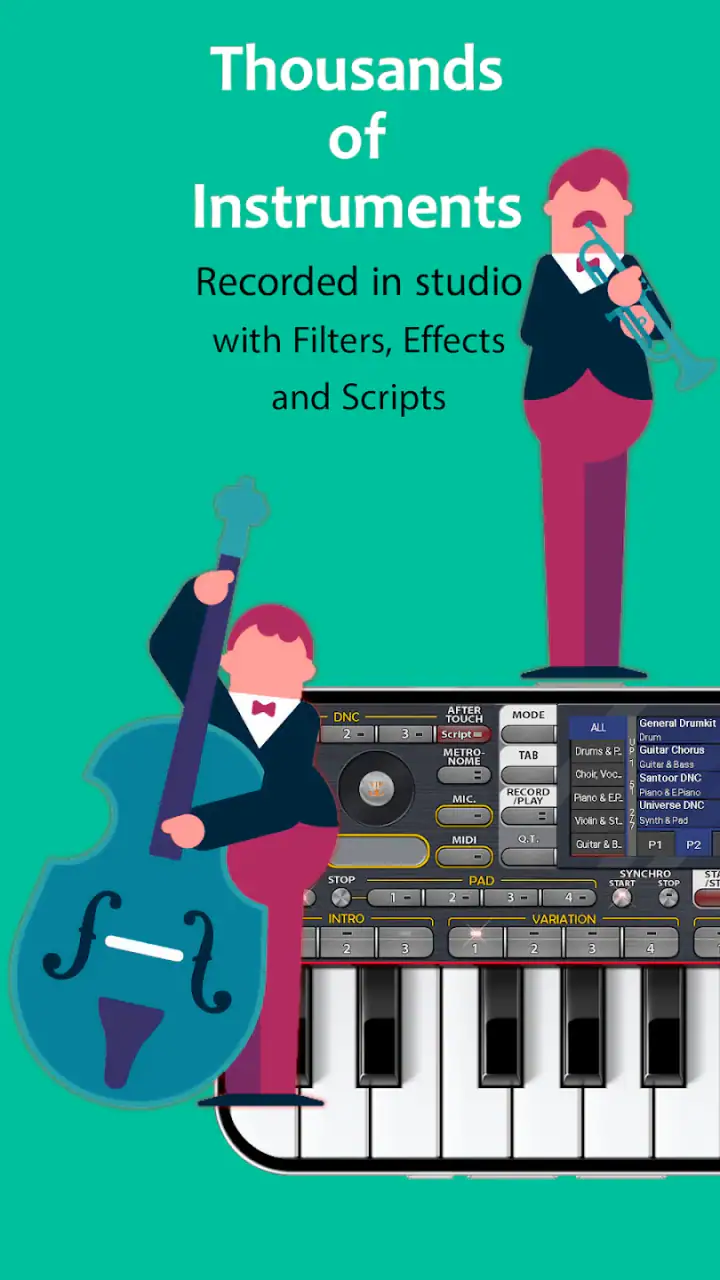
Another useful situation is teaching. A parent or teacher can use the on-screen keyboard to demonstrate the difference between a low and high note, repeat a short phrase, and let a learner imitate it. The visual layout makes the relationship between keys easier to understand than a purely audio-based lesson. Still, I would not confuse this with a structured course. The app can support practice, but it does not replace a teacher, sheet music, or a planned learning method.
For beat makers, the advantage is speed rather than deep control. A touchscreen can be a pleasant way to try a pattern because it encourages experimentation. The weakness is that small timing adjustments and detailed arrangement work can feel slower than they would with a mouse, hardware pads, or a full music workstation. I would use it to find a groove, not automatically to finish a complex production.
What I would check before paying for extras
The free entry point makes it easy to decide whether the basic instrument suits your hands. I recommend spending time with the default experience first, especially if you are unsure about touchscreen playing. The optional purchase range means the cost can remain modest for a casual user, but the right question is not simply whether an item is inexpensive. It is whether the added sound, control, or workflow solves a problem you actually have.
I would also avoid buying anything during the first few minutes. A better test is to use the app in three different situations: playing a melody, trying a rhythm, and attempting to recreate a short musical idea. If the interface still feels comfortable after those tests, an optional purchase may make sense. If the basic layout already feels cramped or imprecise, extra content will not fix the central limitation of using a phone as an instrument.
This is one of the more important trade-offs with a free music app. Free access lowers the risk of trying it, but optional purchases can make the experience less straightforward if you do not know which parts matter to you. I prefer treating the free version as an audition. It lets me judge the playing feel before I decide whether the app deserves a place in my regular music workflow.
Trust, controls, and making careful choices
When I review a music app, I do not only ask whether it makes a convincing sound. I also look at how comfortable I feel using it repeatedly, what choices are visible on screen, and whether I can understand the difference between ordinary use and an optional purchase. With ORG 24, I would keep those checks practical: review the permission prompts shown on your device, read the privacy information available through the app store, and pay attention to account or purchase screens before confirming anything.
I do not treat a polished interface as proof of a particular data practice. The developer is Sofeh Sunrise, and the app has a substantial public presence, with an average rating of 4.4 from around 722 thousand ratings and more than 100 million installs. Those figures tell me that many people have tried it, but popularity alone is not a substitute for checking the choices presented on my own phone.
The same applies to account controls. If the app presents sign-in, backup, sharing, or purchase options, I would read each screen rather than tapping through automatically. I prefer using the least complicated setup that supports my purpose. For a quick melody sketch, I do not need to volunteer more information than the app clearly requires for the action I am taking. This is not a criticism of a specific policy; it is simply a sensible habit with any app that handles music, purchases, or personal settings.
Data-sensitive moments can appear outside the main playing screen. A purchase page deserves a pause because it is easy to focus on a new sound or feature and overlook the recurring implications of a transaction. Likewise, any sharing or export action should be deliberate. I would check the destination, confirm what is being sent, and avoid sharing a recording publicly when I only intend to move it to another device.
I also recommend reviewing the operating system’s permission manager after installation. The exact choices shown can depend on the device and software version, so I would rely on the prompts and settings in front of me rather than assumptions. If a permission seems unrelated to the task I want to perform, I would deny it initially and see whether the core instrument still works. That gives me a clearer sense of which controls are essential to my own use.
The app’s current version is 2026.05.26, and it supports devices running Android 7.0 or later. That broad compatibility is helpful for people using older phones, but older hardware can still affect responsiveness, audio latency, and screen comfort. I would not judge the experience only by the operating-system requirement. A device that technically runs the app may still feel less satisfying for fast playing than a newer model.
Small workflow choices that improve the experience
My first practical tip is to use headphones when timing matters. A phone speaker can make a quick experiment enjoyable, but headphones make it easier to hear whether notes and beats sit together cleanly. They also help when I am working in a shared room and do not want to disturb anyone. This is not about making the app sound professional by magic; it is about giving my ears a more consistent reference while I play.
My second tip is to keep the first idea short. I get better results when I record or remember a compact musical phrase instead of attempting an entire arrangement immediately. A short motif is easier to repeat, compare, and rebuild elsewhere. The touchscreen becomes an advantage here because it encourages quick iteration rather than endless editing.
My third tip is to separate composition from production. I use the app to decide whether a melody, chord change, or beat has potential. I then move to a more suitable tool when I need detailed automation, extensive track organization, precise mixing, or a larger collection of studio controls. This division of labor makes the app feel focused instead of incomplete.
A fourth useful habit is to protect your ideas through simple organization outside the app if your workflow depends on them. I would give exported or saved material clear names and keep a backup in a location I control. That is especially important for anyone using the app for songwriting rather than casual play. A mobile instrument is convenient, but convenience can encourage me to leave important ideas scattered across a device.
I also pay attention to battery use and notification interruptions during longer sessions. A short musical sketch rarely creates a problem, but extended playing can be less comfortable when the phone becomes warm, a call interrupts, or another app takes audio focus. For a focused session, I prefer a quiet environment and enough battery to avoid rushing. These details sound minor, yet they have a direct effect on whether I enjoy returning to the app.
Who should use it, and who should skip it
I would recommend ORG 24 to someone who wants a portable keyboard and beat playground, especially if the main goal is experimenting rather than mastering a complete studio workflow. It is a sensible option for beginners who want immediate access to notes, casual players who enjoy making short patterns, and songwriters who often think of melodies away from their instruments.
It can also suit users who are curious about mobile music but do not want to commit to expensive hardware. The free starting point makes the decision easier, and the Everyone rating makes it approachable for family use. I would still supervise younger users around optional purchases and device permissions, because an accessible interface does not remove the need for sensible account and payment controls.
I would skip it if my priority were realistic physical-key response, advanced recording control, or a complete replacement for a computer studio. I would also look for a different option if I needed a structured piano-learning program with lessons, progress tracking, and formal practice guidance. Those are different goals from opening a virtual instrument and making a quick musical idea.
Compared with a real keyboard, this app wins on portability and loses on touch. Compared with a full digital audio workstation, it wins on speed and loses on depth. Compared with a basic piano app, it offers a wider creative direction through beats and studio-style experimentation, but that broader scope may not satisfy someone who only wants a clean, focused practice instrument. The right comparison depends on the job I need done.
My cautious verdict after using it
ORG 24 works best when I respect its scale. It is not a promise that a phone can replace every piece of music equipment. It is a convenient way to put a playable instrument and beat-making starting point in my pocket, then turn a passing idea into something I can develop later. That is a valuable role, and I found the app most enjoyable when I used it exactly that way.
The free price is a strong reason to try it, while the optional purchases make it worth checking the basic workflow before spending anything. I would review visible purchase, permission, sharing, and account choices carefully, keep personal control of saved material, and judge performance on my own device rather than relying only on its large audience.
With over 100 million installs, the app has clearly reached far beyond a niche music audience, and its 4.4 average shows broad user approval. My recommendation is still conditional: try it if you want fast, informal music creation; choose a dedicated keyboard, learning app, or full workstation if your needs are more specialized. For quick melodies, rhythm experiments, and portable inspiration, I think it earns a place on an Android device that meets its minimum requirements.
FAQs for ORG 24: Your Music
What is ORG 24: Your Music, and how does it enhance my music experience?
ORG 24: Your Music is a comprehensive music app designed to transform your mobile device into a dynamic and interactive music platform. It offers a wide range of musical instruments and features that allow you to create, edit, and play music effortlessly. The app enhances your experience with its user-friendly interface and high-quality sound output, making it ideal for both beginners and professional musicians.
Does ORG 24: Your Music require an internet connection to function?
ORG 24: Your Music does not require a constant internet connection, which allows you to enjoy its features offline. However, certain functionalities like downloading additional instrument packs or accessing online tutorials may need internet access. This flexibility ensures that you can create and enjoy music anywhere, without worrying about connectivity issues.
Is ORG 24: Your Music suitable for beginners in music production?
Yes, ORG 24: Your Music is designed to be user-friendly, making it perfect for beginners. It offers an intuitive interface and provides various tutorials to guide new users through the basics of music production. The app includes a range of preloaded instruments and easy-to-use features, helping novices start their musical journey with confidence.
What devices are compatible with ORG 24: Your Music?
ORG 24: Your Music is available for both Android and iOS devices. It is compatible with a wide range of smartphones and tablets, ensuring that users can access its features regardless of their chosen platform. Make sure your device meets the app's system requirements for optimal performance and experience.
Are there any in-app purchases or subscriptions in ORG 24: Your Music?
ORG 24: Your Music offers a variety of in-app purchases to enhance your musical experience. These may include additional instrument packs, premium features, and ad-free versions. While the basic app is free, these optional purchases allow users to customize their experience and unlock advanced capabilities. Be sure to check the app store for the latest pricing details.
Pros
- User-friendly interface for easy navigation.
- Wide range of instruments and sounds.
- High-quality audio output.
- Customizable sound effects.
- Responsive and smooth performance.
Cons
- Contains ads that may interrupt usage.
- Limited features in free version.
- Requires internet for some functions.
- Occasional minor bugs.
- In-app purchases can be expensive.


